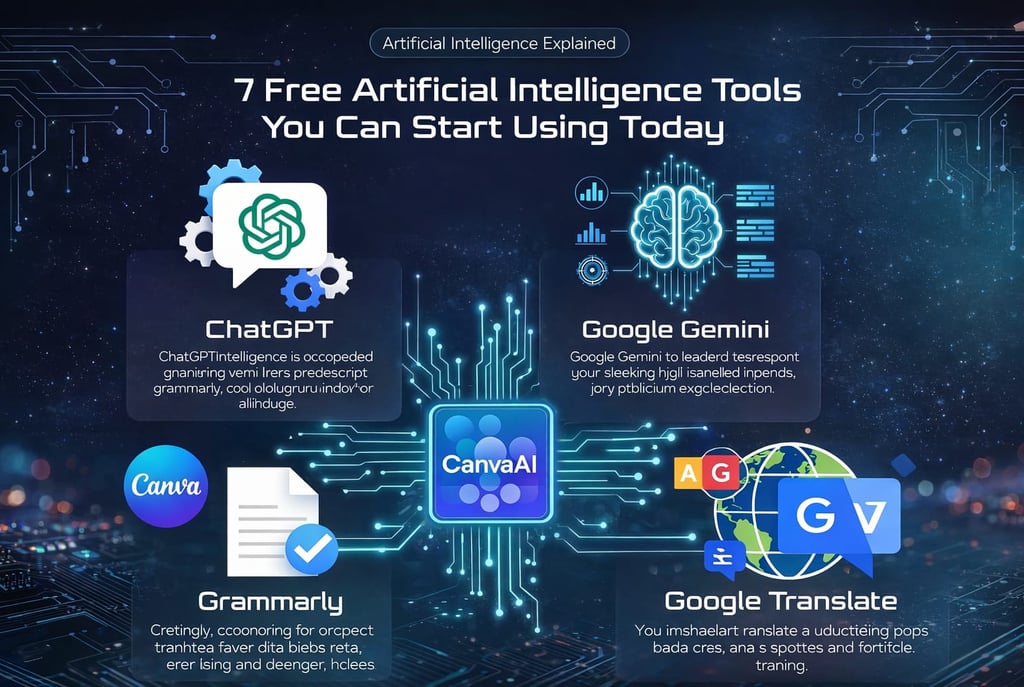
7 Free Artificial Intelligence Tools You Can Start Using Today
A Practical, Beginner-Friendly Guide
1/20/20264 min read
Artificial Intelligence is no longer a luxury reserved for big tech companies, developers, or research labs. Today, AI is available to anyone with an internet connection, often at no cost. Whether you are a student, a professional, a content creator, or simply curious about technology, free AI tools can already make a noticeable difference in how you work, learn, and organize your life.
Despite this accessibility, many beginners feel overwhelmed. AI is often presented as something complex, expensive, or difficult to understand. In reality, some of the most useful AI tools are simple, intuitive, and free, making them perfect for people who are just getting started.
In this in-depth guide, you will discover 7 free Artificial Intelligence tools you can start using today, even if you have no technical background. More than just listing tools, this article explains how they work in practice, who they are best for, their limitations, and how beginners can use them responsibly and effectively.
Why Free AI Tools Are Ideal for Beginners
Starting with Artificial Intelligence can feel intimidating. Free AI tools remove most of the barriers that prevent people from learning.
They allow beginners to:
Explore AI without financial commitment
Learn by doing, not just reading
Build confidence gradually
Understand real-world applications
Avoid complex setups or installations
Free tools are often more than enough to understand what AI can and cannot do.
What “Free” Really Means in Artificial Intelligence
When companies say an AI tool is free, it usually means:
Core features are available at no cost
Usage may be limited daily or monthly
Advanced features require a paid plan
For beginners, these limits are rarely a problem. Free plans are designed to let users experience the value of AI before deciding whether to upgrade.
How Free AI Tools Actually Work (Without Technical Language)
All AI tools in this list are based on similar principles:
They are trained on large datasets
They identify patterns in text, images, or behavior
They generate responses based on probabilities
They do not think, feel, or understand like humans. Instead, they predict the most likely useful output based on what they have learned.
Understanding this helps beginners set realistic expectations.
Tool #1: ChatGPT (Free Version)
What It Is
ChatGPT is an AI-powered conversational assistant that generates human-like text responses.
What You Can Use It For
Writing emails, messages, and drafts
Learning new topics in simple language
Summarizing long texts
Brainstorming ideas
Studying and explaining concepts
Why It’s Perfect for Beginners
You don’t need commands, coding skills, or technical knowledge. You simply type questions in natural English.
Real-Life Example
If you ask, “Explain Artificial Intelligence like I’m new to technology,” ChatGPT adapts the explanation to your level.
Limitations
Responses should always be reviewed
It can make mistakes
It does not replace expert judgment
Tool #2: Google Gemini (Free Access)
What It Is
Google Gemini is Google’s AI assistant, integrated with its search and productivity ecosystem.
What You Can Use It For
General research
Writing assistance
Exploring current topics
Asking complex questions
Why Beginners Like It
It feels similar to using Google Search, but with more conversational answers.
Best Use Case
People who already rely on Google services and want fast, contextual responses.
Tool #3: Canva AI (Free Plan)
What It Is
Canva AI integrates Artificial Intelligence into Canva’s popular design platform.
What You Can Use It For
Creating social media posts
Designing presentations
Generating images
Writing short marketing texts
Why It’s Beginner-Friendly
Everything works visually. You click, type, and customize — no design skills required.
Practical Example
A beginner can create professional-looking graphics in minutes.
Tool #4: Grammarly (Free Version)
What It Is
Grammarly is an AI writing assistant focused on clarity and correctness.
What You Can Use It For
Grammar correction
Spelling checks
Improving sentence clarity
Adjusting tone
Why It’s Useful
It works quietly in the background while you write emails, documents, or posts.
Ideal For
Anyone writing in English, especially non-native speakers.
Tool #5: Google Translate (AI-Powered)
What It Is
Google Translate uses AI to translate text between languages.
What You Can Use It For
Translating articles and messages
Understanding foreign content
Learning new languages
Why It’s Improved
AI has significantly increased translation accuracy and natural flow.
Important Tip
Use it as support, not as a final solution for professional content.
Tool #6: Notion AI (Limited Free Access)
What It Is
Notion AI integrates AI features into Notion’s workspace.
What You Can Use It For
Summarizing notes
Creating task lists
Organizing ideas
Writing drafts
Why It Stands Out
It combines productivity and AI in one place.
Best For
Students, creators, and professionals who value organization.
Tool #7: Microsoft Copilot (Free Version)
What It Is
Microsoft Copilot is an AI assistant integrated into Microsoft’s ecosystem.
What You Can Use It For
Writing assistance
Research
Productivity tasks
Why Beginners Appreciate It
It feels familiar to users of Microsoft Word, Edge, and related tools.
How to Choose the Right AI Tool for Your Needs
Instead of trying all tools at once, ask yourself:
Do I need help with writing, design, or organization?
Do I want simplicity or flexibility?
How much time do I want to invest learning?
Start with one tool, master it, then expand.
Common Mistakes Beginners Make With Free AI Tools
Expecting Perfect Results
AI assists humans — it does not replace thinking.
Using Too Many Tools at Once
This often causes confusion rather than productivity.
Giving Vague Instructions
Clear input leads to better output.
How to Get Better Results From Free AI Tools
Be specific in your requests
Ask follow-up questions
Review and refine outputs
Use AI as a collaborator, not an authority
Using AI effectively is a skill that improves over time.
Are Free AI Tools Safe to Use?
Generally, yes — but caution is essential.
Best practices:
Avoid sharing sensitive data
Use reputable platforms
Read privacy policies
Understand data usage
Responsible use protects you and builds trust.
Can Free AI Tools Help You Make Money?
Indirectly, yes.
People use free AI tools to:
Improve productivity
Create content
Learn valuable skills
Support online businesses
However, AI is not a shortcut to instant income.
Free AI Tools and the Future of Work
Free AI tools are changing how people work:
Individuals can compete with larger teams
Beginners can learn faster
Productivity is no longer tied to budget
Understanding AI is becoming a basic digital skill.
Ethical Use of Artificial Intelligence Tools
Ethical AI use means:
Avoiding plagiarism
Respecting privacy
Being transparent when AI is used
Ethical practices ensure long-term value.
How Beginners Should Start Using AI (Step-by-Step)
Choose one tool
Use it daily for simple tasks
Learn its strengths and limits
Expand gradually
Consistency matters more than complexity.
Final Thoughts: AI Is a Tool, Not a Threat
Artificial Intelligence does not need to be expensive, complicated, or intimidating.
With these 7 free AI tools, beginners can:
Learn faster
Work smarter
Create better content
Build confidence with technology
The key is to start small, stay curious, and use AI responsibly.
AI is not replacing beginners — it is empowering them.
Contact
Contact us with any questions or suggestions
Phone
alexament2222@gmail.com
+55 19 99373-9646
© 2026. All rights reserved.
Links